I rewrote Apple’s SwiftUI documentation
I remember when SwiftUI came out, it was the most exciting thing that had happened in iOS development in a decade. It had declarative UI and took a tenth of the code to write the same thing. I was pretty immediately all in.
And then you’d open the documentation.
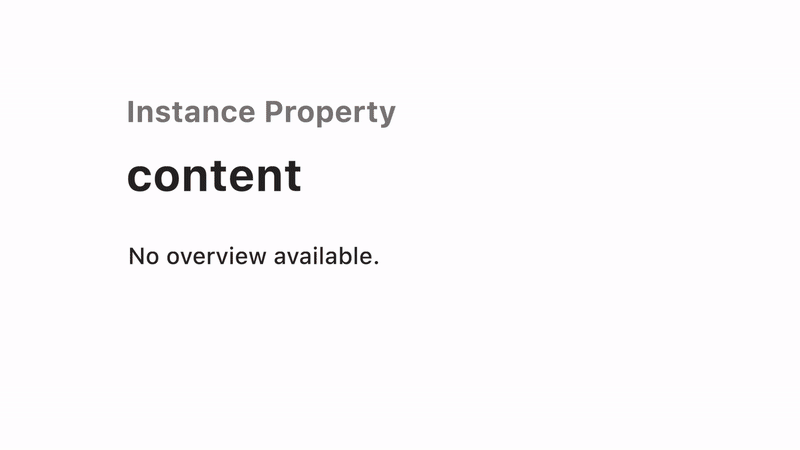 A real page from Apple’s SwiftUI reference docs in 2020. This is all it said.
“No overview available.” If you tried writing SwiftUI in those days, the phrase is basically a jump scare. You’d find the modifier that you needed to use, click on it, and get only a type signature. There is no explanation or example, or inkling of what the parameters would do, even though the API was very beautiful. The docs were essentially blank.
Everybody complained about this. I was intrigued.
My morning ritual
At the time, I was running my first company and had my life running like a machine. I drank only Soylent for every meal. I never went out, and I was so determined to make it work that I had basically stopped doing anything else. I would certainly not recommend that to anyone, including myself.
But some good things did come out of that. For example, every morning before writing any code, I would read Hacker News in depth, go down dozens of different threads, and try to figure out what complaints people were talking about multiple times. I wasn’t really trying to get business ideas, but rather evidence of a problem. I was so afraid, as a founder, of building something that nobody wanted, so I wanted to see where the pain was.
On November 10th of that year, Casey Liss published “On Apple’s Piss-Poor Documentation”. It quickly got to the top of Hacker News with 1,180 points and 335 comments.1 He kept quoting the same familiar phrase that had tormented me: “No overview available. Fuck you. Figure it out.”
This felt like pretty substantial evidence: a thousand developers all agreeing in one place.
The test
So I posted a meme.
I was kind of vibing a meme headline to farm engagement. I wasn’t serious about quitting my job. I just wanted to see if people would upvote. I didn’t really know what I would do if it went viral, but I didn’t expect it to, honestly.
I asked for 100 upvotes, and it finished at more than 9 times that.2
And so, two weeks later, I broke ground on a new repository called Docs.
The documentation hub strategy
But I had to sell the idea internally.
My co-founder at the time was extremely ambitious and had a vision of a package marketplace, basically a mall for Swift components. It was a pretty good idea, but it was the type of idea we were going to have to convince people that they needed. I had just seen a thousand people tell us something else that they already wanted.
I had to pitch it as a sequence. First, we build the documentation page that Swift developers open every day. Then, since we’ll own the reference point, the packages could be easily integrated and sold to people already there.
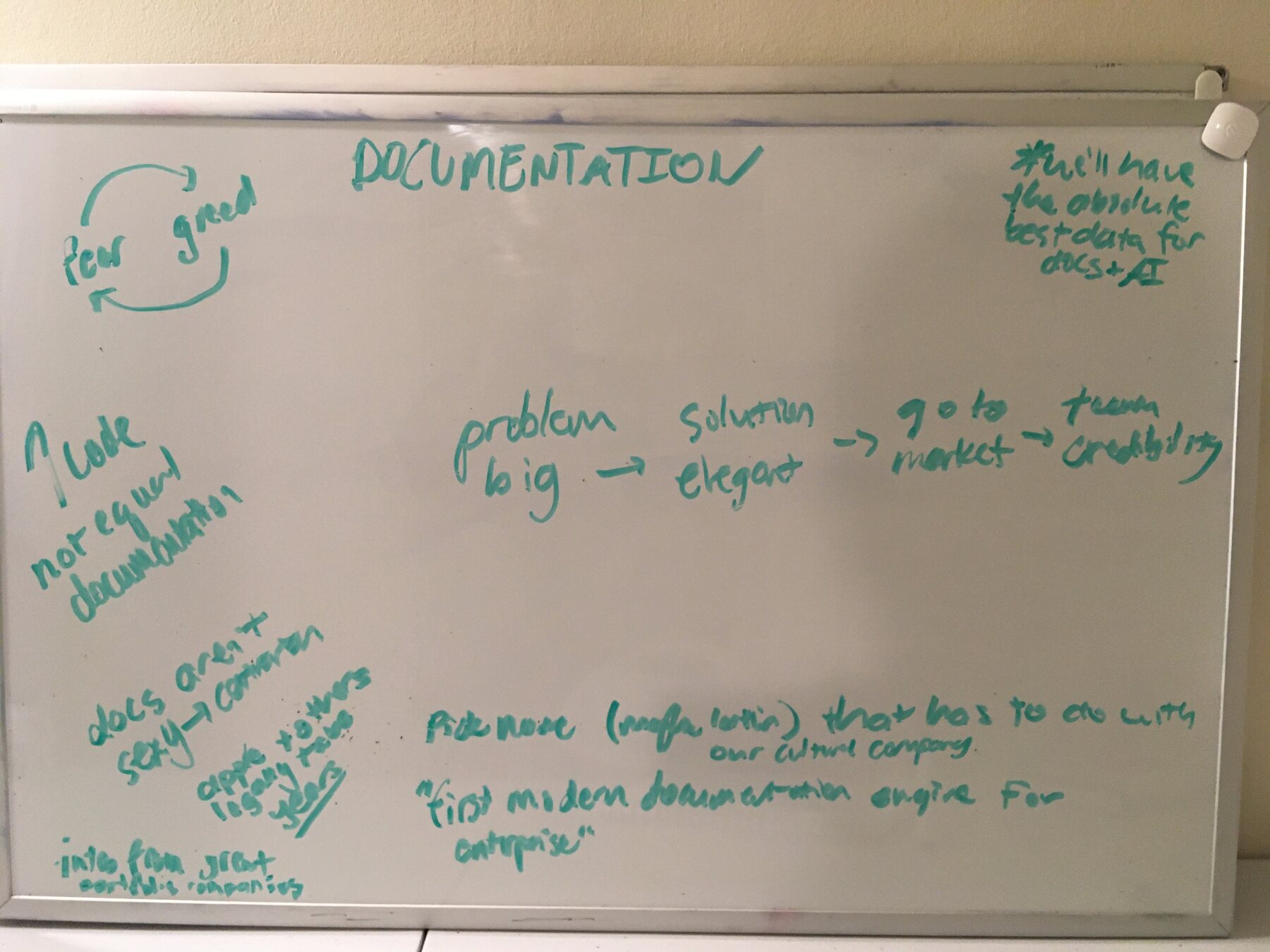 Five weeks after the first commit. Problem: big. Solution: elegant. Go-to-market: team credibility. Bottom right: “first modern documentation engine for enterprise.” Top right, which, remember, was January 2021: “we’ll have the absolute best data for docs + AI.”
We never got to the second phase, but we did build the first phase, and it still exists today.
Here’s the part where the story shifts to “we.” SwiftOnTap3 came out of Peach Blossom Spring, the first company I ever started with my co-founder Alex. He actually has more commits on the docs repo than I do, and three others, Aaron, Elizabeth, and Elijah, worked alongside us. We also crowdsourced commits from 27 people, many of them strangers who were as motivated to solve the problem as we were.
The pitch was pretty simple: documentation for every SwiftUI symbol with a runnable example on every single page. We didn’t want to build a bunch of tutorials at first or guides. We just wanted to document every symbol. Everything Apple shipped should have an example.
One huge file
The architecture, thinking back, makes me smile. Every single doc lived in a single file called SwiftUI.swift. It had the framework symbol redeclared with a documentation comment above. Here’s what an example symbol would look like.
/// Or use a `Divider` in an ``HStack`` to create a vertical line between
/// horizontally laid out elements:
///
/// ```
/// struct ExampleView: View {
/// var body: some View {
/// HStack {
/// Text("This is a line of text")
///
/// Divider()
///
/// Text("This is an unrelated line of text")
/// }
/// }
/// }
/// ```
///
/// 
///
@available(iOS 13.0, macOS 10.15, tvOS 13.0, watchOS 6.0, *)
public struct Divider : View {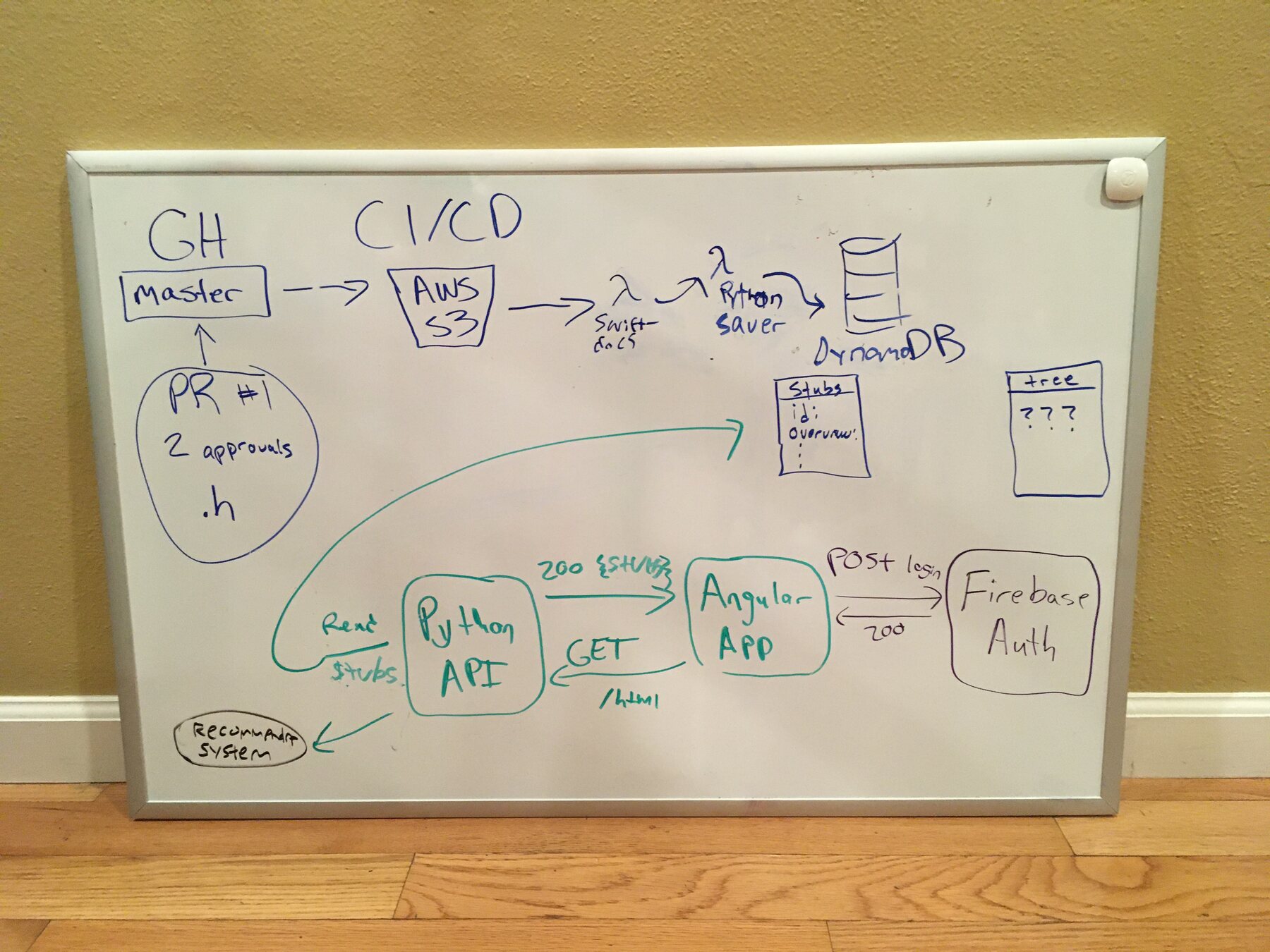 Eighteen days after the first commit, a plan for the automated pipeline: GitHub master into CI/CD, S3, a Swift-docs lambda, a Python saver, DynamoDB. Every pull request would need two approvals.
That is the real source of the Divider page, including the alt text. We built a parser to scan the comments and publish them to swiftontap.com. All you had to do is press /, type a symbol name, and hit return. Since the docs were just a Swift file on GitHub, anybody could edit them, and the site would automatically redeploy with their updates, so documentation became a pull request.
Lines in SwiftUI.swift | 58,410 |
| Runnable examples | 1,167 |
| Rendered example screenshots | 1,158 |
| Commits | 740 |
| Contributors | 27 |
All of those numbers are accurate to the repo today.4
Every symbol, documented
An example for every symbol seemed pretty straightforward, but here’s what it actually looks like.
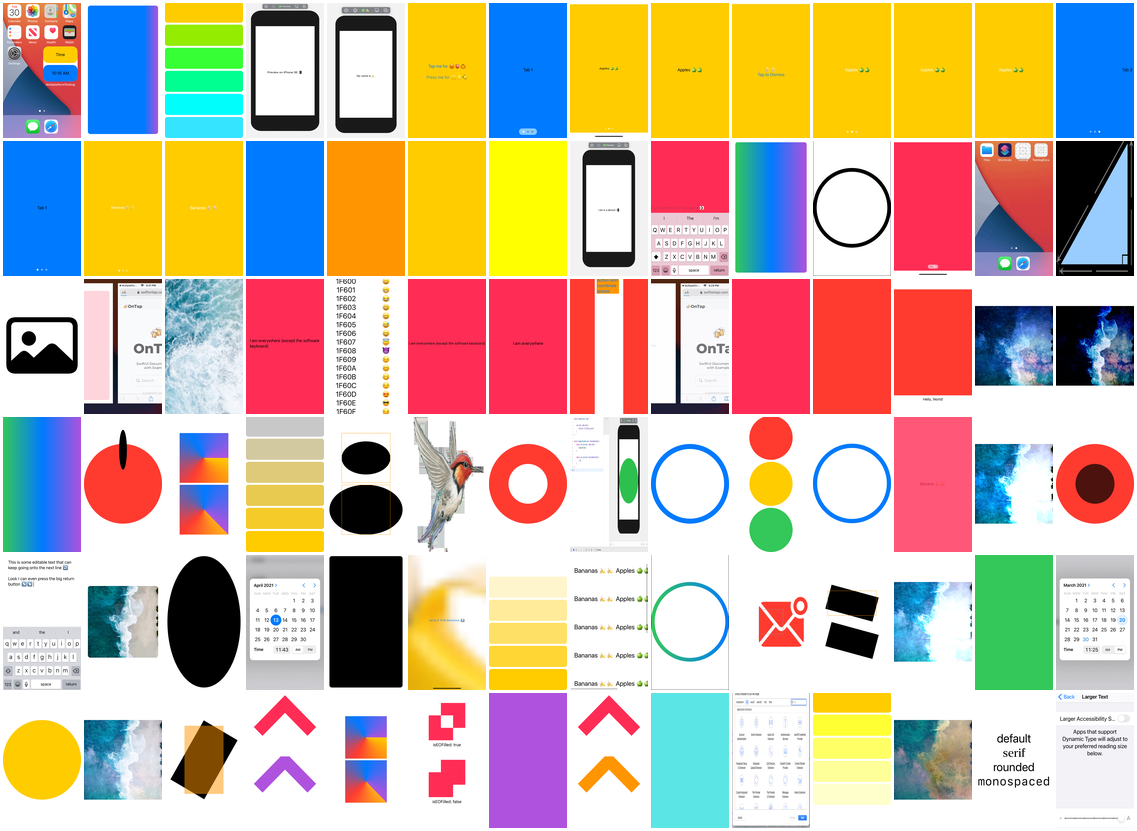 84 of the 1,158 example screenshots in the repo, selected for variety. Every one of them is the exact output of a code snippet that you could paste and run yourself.
And every doc page had a screenshot of what the running code would do. We even shipped GIFs when we could.
A grind
Writing docs for an entire framework is even more brutal than I thought it would be. I’d open a symbol, try to figure out what it did, which often included writing an Xcode project to test it because the official page didn’t say anything. Then I’d write an explanation that I wish Apple had just created in the first place, and then an example that compiled, over and over.
 This is where I lived while I wrote the documentation. The photo is timestamped 8:40 in the morning.
I found that trying to understand an undocumented API was easier if I tried to explain it to somebody. The process of writing documentation left me with a deeper understanding of SwiftUI than I ever imagined possible.
It was a tremendous SwiftUI education. Even now, I draw on knowledge that I learned in this time period.
Going live
Then, on Valentine’s Day, three days after the busiest commit day of the whole project, we posted it back to the r/swift subreddit. The title was straightforward: “We were so frustrated by Apple docs that we made our own.”
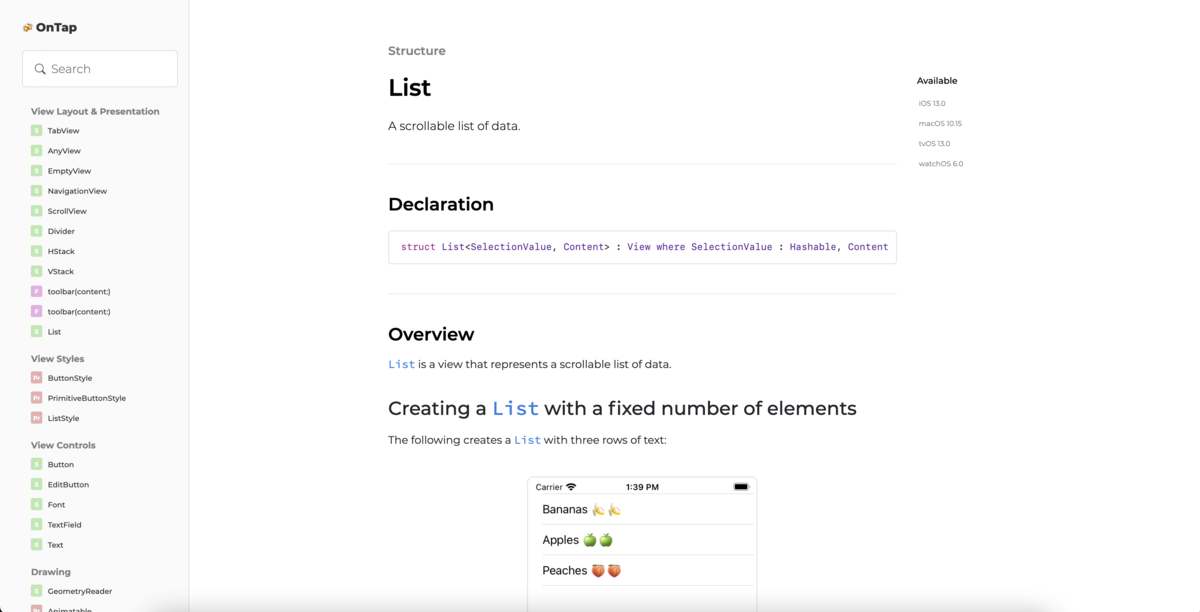 The image from the launch post, the List page with an explanation we wrote ourselves and an example you could paste into Xcode.
It became the most upvoted post in the history of r/swift. It still is, actually, five years later, by a pretty wide margin.

At the time, I didn’t really understand anything about virality, but I get now that it often happens when you tap into something that thousands of people resonate with. In this case, it meant that the docs really were that bad.
It’s still up
swiftontap.com still serves every single one of those pages. The repo still takes occasional pull requests.

The docs are fully open source at github.com/SwiftOnTap/Docs. 657 stars, which is a pretty amazing thing for documentation to gather.
In the time since, Apple has improved their SwiftUI documentation considerably. I’d like to think that the most upvoted post in r/swift history was a small but important nudge in that direction.
And if there’s one thing that all those months left me with, it’s that people don’t really want to read parameter lists. They just want to rip working code when they’re moving fast and don’t have time. We had it from the start that every page would have something you could copy, paste, and run. I think that one choice proved more prescient than the rest of the project combined.
Footnotes
-
The thread, submitted by ingve on November 10, 2020, at 15:01 UTC. My post went up on the 13th at 00:01 UTC, 2 days and 9 hours later. ↩
-
My post is still there, sitting at about 907 upvotes, but it was later removed from the subreddit’s listings, which is why you can’t find it in the all-time top posts. I reposted the same image to r/iOSProgramming the next day and got another 342 upvotes. ↩
-
As in beer. The README’s actual tagline: “We’ve got it all on tap,” with a faucet emoji and a cheers emoji. We wanted documentation to feel approachable. ↩
-
1,167 code blocks. If you count the backticks in the file and divide by 2, that’s what I did, at least. ↩